Beginning
Commodore 64
Let's use Commodore 64 as an example, its interface was text based and the microcomputer used Commodore basic as its programming language. Every command input would be executed instantly.
The C64 was a keyboard with the computer inside, like most other home computers. It did have several connections on the back through witch you could connect other types of hardware like joysticks, midi instruments an external storage device and a television set.
The C64 was a plug-and-play (no one used that word either). When you turned it on, the curser was immediately blinking ready to take commands. The interface was text based and the programming language was Commodore Basic. Anything you wrote would be executed straight away unless you put it into a program. You created programs by adding line numbers in front of your command. This program was written line by line (not necessarily in the right order) and stored in the computers RAM. If you turned the computer off, your work would be lost unless you had stored it on an external storage device.
Development
When the program was ready you could run it by typing the command RUN followed by tapping the Return key.
Disk drives were for the most part too expensive and a special cassette drive were used as a data storage device.
The computer mouse had been invented, but most people had not seen or even heard of it. So in order to open up a program on a Commodore 64, one would have to write directly to the screen (which was effectively a prompt or a terminal):
LOAD “PROGRAM_NAME”, 8.
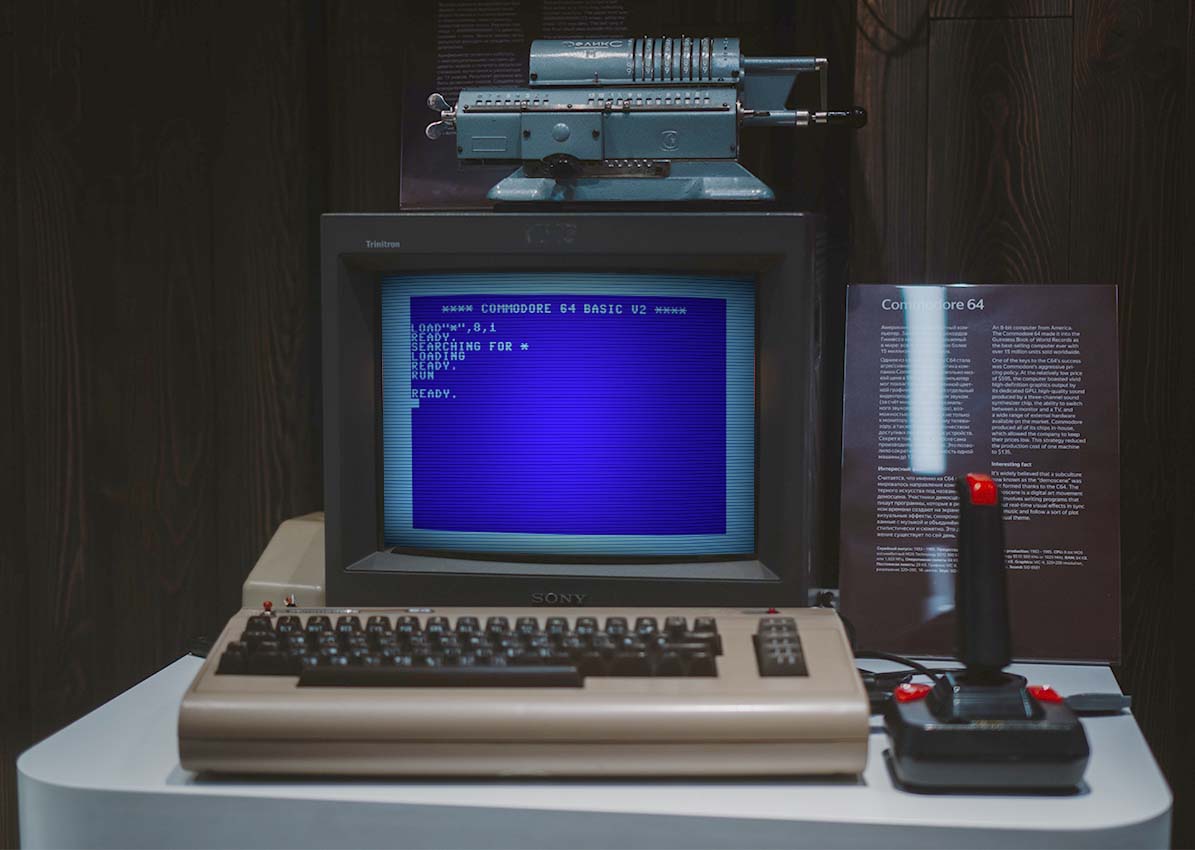
The number would be the device to connect with. The Commodore would respond with the lines displayed on the screen shown in this part of the article.
The program would now be loaded into the Commodore’s memory. You could have a look at the program by writing the command LIST or you could start the execution of the program with RUN.
LOADING
READY.
_